The Large Data Pivot Grid is a dashboard component that lets you connect to external tables or large database tables for pivot-style analytic reporting. The grid helps designers seamlessly integrate data from external tables into a OneStream environment through a dashboard for analytic reporting. The grid's paging and server based processing features support large data sets/tables. In some cases, this component requires server configuration settings so users can access specific database tables.
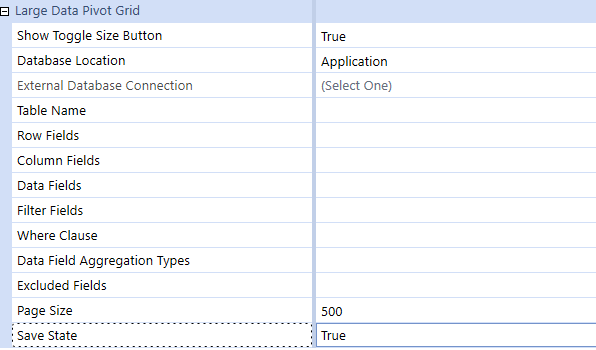
You can specify the following properties:
|
Property |
Setting |
|---|---|
|
Show Toggle Size Button |
Select True to enable the Toggle Size button. |
|
Database Location |
Identify the type of table location. You can choose either Application, Framework, or External. |
|
External Database Connection |
This property is enabled when you select an External Database Location. Select a Database Connection defined in the Application Server Configuration. |
|
Table Name |
Table name to be retrieved. |
|
Row Fields |
Comma-separated database column names to be placed in Row area by default. |
|
Column Fields |
Comma-separated database column names to be placed in Column area by default. |
|
Data Fields |
Comma-separated database column names to be placed in Data area by default. |
|
Filter Fields |
Assign Dimensions as a default filter and assign filtering |
|
Where Clause |
Used to assign global filters to focus the returned results from the source table. |
|
Data Field Aggregation Types |
List of comma-separated key value pairs that specify one aggregate function type per data field. Sum, Average, Min, and Max are supported. |
|
Excluded Fields |
Allows Database Column Dimensions to be excluded from the Pivot. |
|
Page Size |
Number of records returned in a page. This property defaults to 500 with a maximum value of 3000. |
|
Save State |
This enables the Save Button on the Large Data Pivot Grid when set to True and disables the Save button when set to False. |


